Groups
Create tags (groups) and assign members to them. You can use groups to specify which members a prompt policy is enforced on.
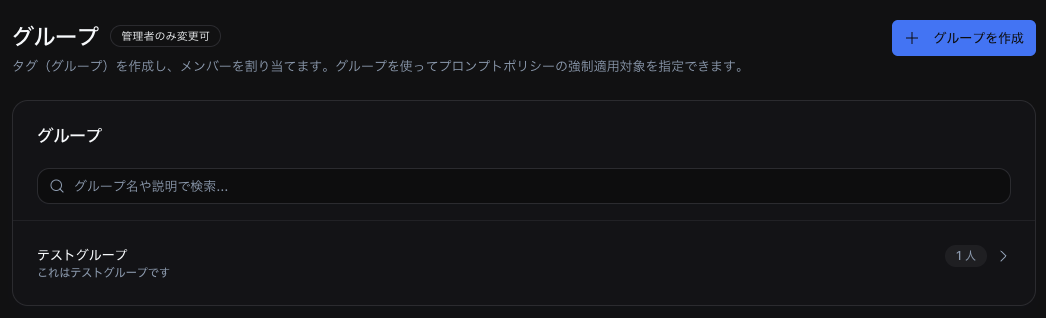
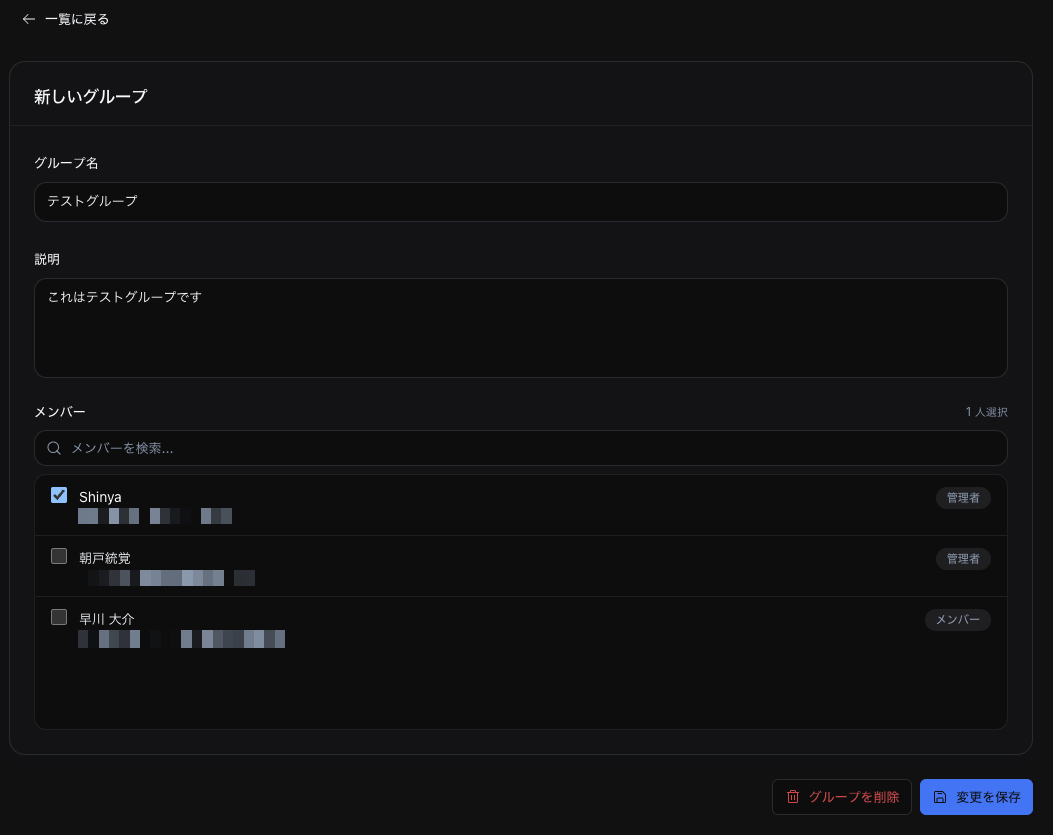
Creating a group
- Click + Create group
- Enter a Group name
- Optionally enter a Description
- Select Members (assign from your team members)
- Click Save changes
You can create up to 20 groups.
Assigning members
In the Members section of the group detail screen, you can add or remove team members from the group. You can search for members by name.
Working with prompt policies
Groups are primarily used as the scope for prompt policies. They are useful when you want to limit a policy to a specific group rather than applying it to the entire team. For details, see Prompt policies.
Deleting a group
- On the group detail screen, click Delete group
- Confirm the deletion in the confirmation dialog