Account & Billing
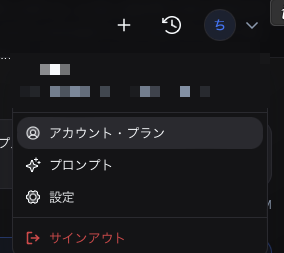
From the icon at the top right of the header, select Account & Plan to open the account information screen.
The amounts shown in the images on this page reflect prices at the time of capture. For the latest pricing, please see here.
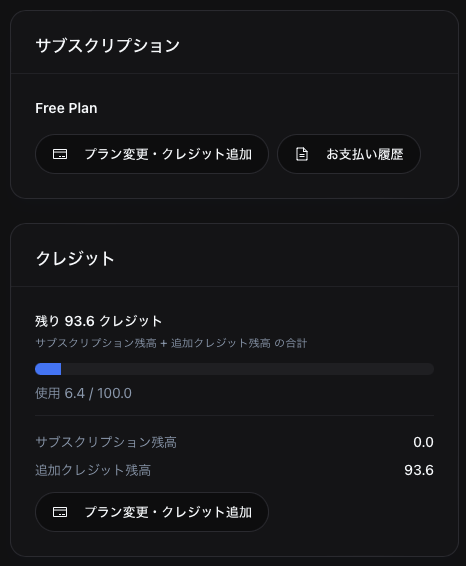
Profile
- Email address — The email address you use to sign in
- Sign-in method — Google / Microsoft
The same email address is treated as the same account.
Plans
We offer the following plans. Everyone starts on the Free Plan at first sign-in.
| Plan | Monthly credits | Description |
|---|---|---|
| Free Plan | 100 (one-time) | All features except Drive integration are available |
| Pro Plan | 400 | Drive integration becomes available |
| Max Plan | Effectively unlimited (99,999) | Use the product without worrying about monthly credits |
| Team Plan | Contact us | Supports team management, shared credits, and shared roles & skills |
| Enterprise Plan | Contact us | Supports deployment to your own environment and customization |
For full pricing details, please see here. Customers based in Japan are subject to additional consumption tax.
Browser security settings may prevent Drive integration from working.
On every plan, you can purchase additional credits with no expiration on top of your monthly credits. See Purchasing additional credits for details.
Changing Your Plan
Click Change plan / Add credits to open the plan and credits screen.
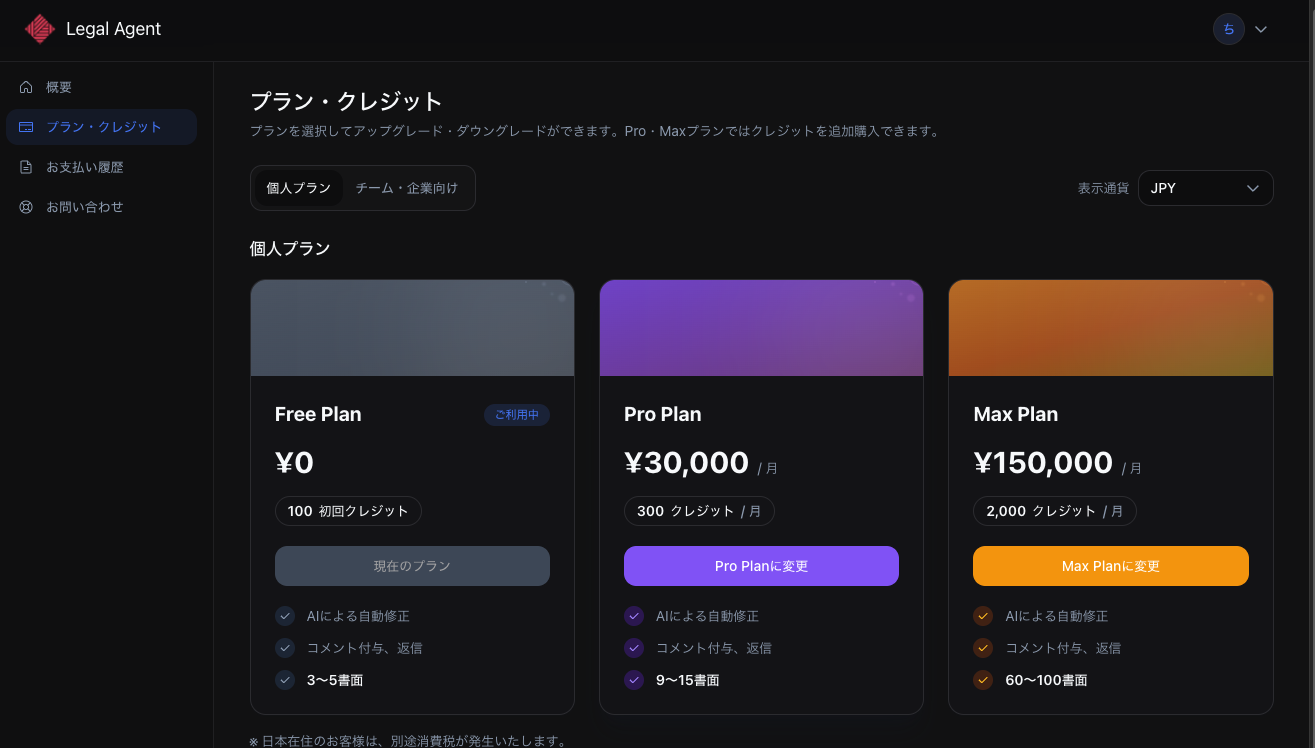
- Select the plan you want to switch to
- Enter your payment details on the Stripe checkout screen and click Subscribe
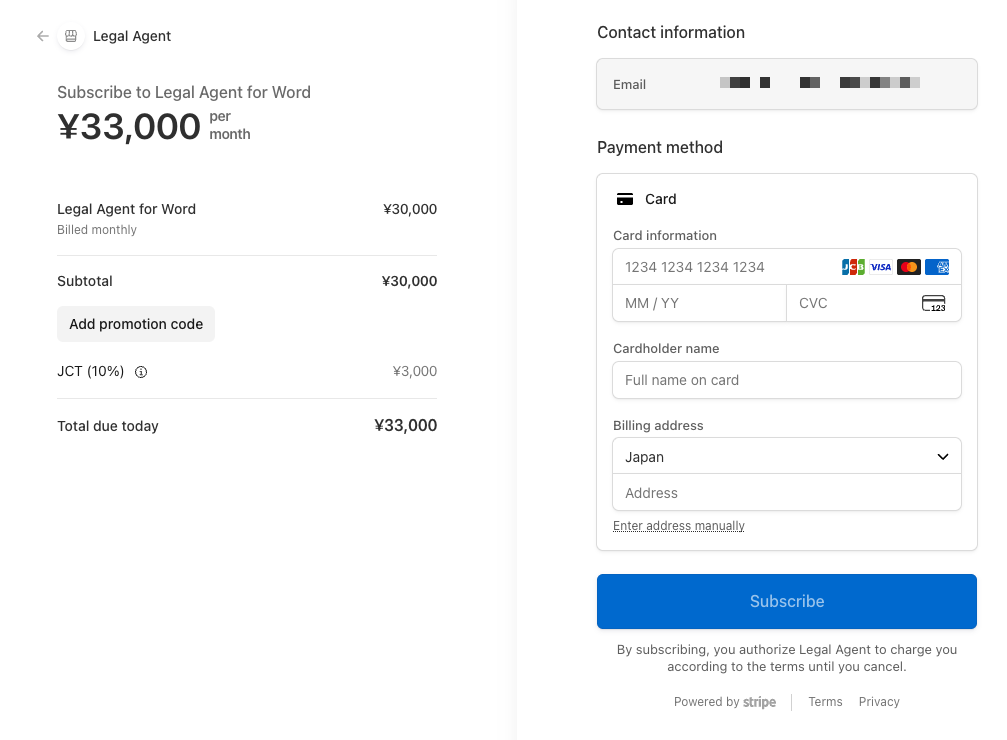
Notes:
- Upgrades are prorated and billed for the remaining period
- Downgrades let you keep your current plan until the next renewal date, when the change takes effect
- Scheduled changes can be canceled
Credits
Credits are the unit of usage consumed when running chats. Sending a message to the AI consumes credits. The amount consumed depends on the model, reasoning level, the work performed, and whether edits are made.
| Type | Description |
|---|---|
| Subscription balance | Credits granted each month based on your plan. Reset on renewal |
| Add-on balance | Credits you purchased separately. No expiration; carry over to subsequent months |
| Total | Subscription balance + add-on balance |
Credits are consumed in this order: subscription balance → add-on balance.
- 100 credits are granted automatically the first time you sign in
- Purchased add-on credits do not expire
Purchasing Additional Credits
On any of the Free / Pro / Max plans, you can purchase additional credits with no expiration.
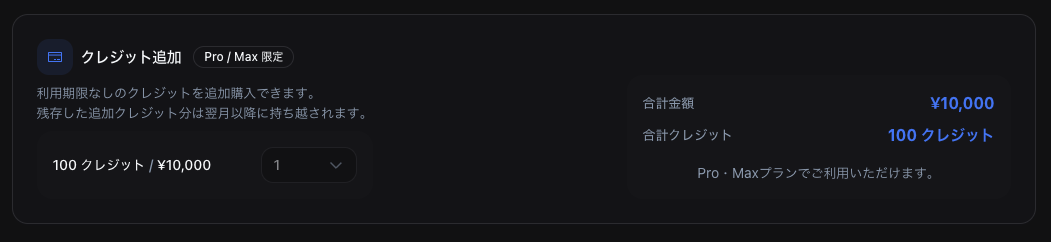
- Click Change plan / Add credits and open the Add credits section
- Choose the credit quantity to purchase
- Confirm the total amount and complete the purchase
Any unused add-on credits carry over to your next subscription period.
Payment History
The Payment history screen lets you review past payments.
- Filter by year
- Download invoices and receipts from Stripe
- Statuses: Paid / Unpaid / Draft / Void / Uncollectible
Contact
Click Contact at the bottom of the account screen to open the contact form in your browser.
Deleting Your Account
In the Danger zone section, select Delete account to delete your account and related data.
- You must type "DELETE" to confirm
- If you have an active subscription, cancel it first
- After deletion, you cannot sign in with the same email address for 180 days
- Chat history and other data are deleted
- This action cannot be undone